
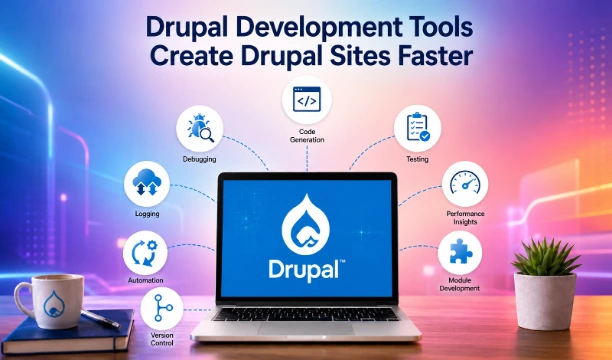
Use these development tools to help you create Drupal sites faster and with less effort. If you have a favorite Drupal tool that is not listed, make sure you've checked every section of this document.
1. Artificial Intelligence Assistants (AI Assistants)
#Codeium
Codeium is an incredibly powerful assistant that allows to significantly speed up development. It provides high-quality autocomplete, allows you to generate code, tests and descriptions. Also, it can explain what the selected code does. Codeium has plugins for PhpStorm and VSCode and is free for individual use.
2. Drupal Modules
#Devel
Devel is a suite of modules that provides helper functions, admin pages, and additional development Drush commands to use during development.On your development site, you can use Devel to generate dummy(example) content, examine service containers, routes, and events.
Inside your PHP code Devel adds new PHP functions to output a variety of messages, directly on the page in question. Use these messages to help debug your code.
#WebProfiler
WebProfiler adds a toolbar at the bottom of every page and shows you all sorts of stats such as the amount of database queries loaded on the page, which services are used and much more.
#Modul Builder
Module Builder helps code generation by auto-generating a skeleton or "scaffolding" for a module, along with hints on how to fill them in. Useful for newbie developers to learn how Drupal code works, and seasoned developers who are too lazy to look up what arguments a function has to take.
WebWash has a video demo on Module Builder, as well as comparing with the code generator using Drupal Console and Drush.
#rawdebug
Simple functions that provide a log file, show the contents of variables, and show backtraces. Can be used even if the site has completely crashed.
3.Command-line tools
#Git
Git is the modern version control system and has become the defacto standard for open source projects. You can use it to track changes made to files within your entire Drupal installation, or just the module or theme that you are working on. Git makes it easy to try out changes, and if necessary, revert to a previous version of your files if there is a problem.
#Composer
Composer is a dependency manager for PHP, it is the standard way across many PHP projects to set requirements for external dependencies. You can use it to install and update Drupal's external dependencies. It's the recommended tools to install Drupal and modules.
#Drush
Drush is one of the most popular, if not the most popular, Drupal development tool out there. Drush is the command line and scripting interface for Drupal. You can use it to speed up installing, developing, debugging and maintaining Drupal sites. It is also capable of generating boilerplate code for custom developments. It takes some getting used to, and there are a lot of commands to remember but, once you do, it is a real time saver. Rather than clicking through the admin interface to achieve something, you simply type in one command. When building Drupal sites and developing custom modules and themes, this can really help.
4. Drupal Code Generator
#dos2unix
The Drupal coding standards specify Unix-style line endings. If you inherit code that uses a different convention, the easiest tool to correct the code is dos2unix. If you develop on Linux, you will probably find it installed, or if not you can probably install it from your distribution's repository. To correct all code files in a directory and its subdirectories, cd to the top directory and use the CLI command find -name \*|xargs dos2unix
Hapus Infotech provides reliable Drupal website support and maintenance services to ensure your site runs smoothly, stays secure, and performs at its best. Whether you need regular updates, bug fixes, performance optimization, or ongoing technical support, our team is here to help. If you are looking for professional assistance to manage or maintain your Drupal website, get in touch with us today for dependable and efficient support solutions tailored to your needs.
Related Posts
Paragraph vs Custom Paragraph in Drupal
Apr 10, 2026







Drupal vs WordPress: Best CMS Choice for 2026
Dec 09, 2025

Why Drupal Is the Best Choice for UK SMEs in 2025
Sep 05, 2025

Why UK Small Businesses Are Choosing Drupal in 2025
Sep 04, 2025

Is a Website Important in Business
Aug 26, 2025



How Microinteractions Make Your Website Feel Alive
Aug 07, 2025


Disadvantages of having a Drupal 7 Website
Mar 07, 2025
Drupal 7 vs Drupal 10: A Comprehensive Comparison
Mar 07, 2025




How to Choose the Right CMS for Your Website
Jan 06, 2025






Comments