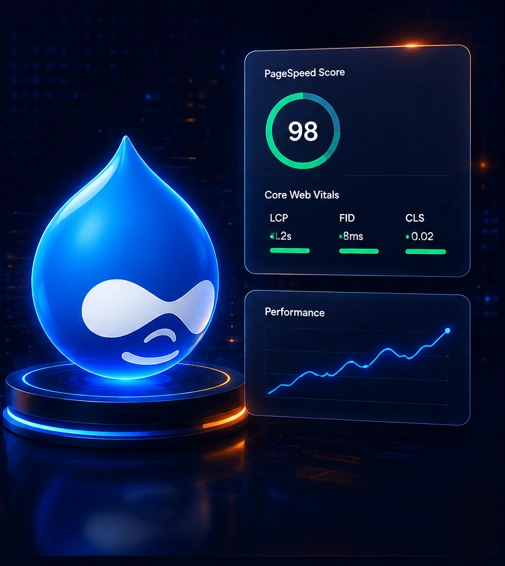
Why Performance Matters
More Than Ever in Drupal 11
In today’s digital world, users expect fast, smooth, and reliable website experiences. Even a small delay can affect engagement, conversions, and search visibility. Drupal 11 provides a strong foundation for performance, but the real results come from proper configuration, clean implementation, and continuous optimization.
This guide explains practical ways to optimize a Drupal 11 website from the backend, frontend, caching layer, database, assets, and ongoing maintenance perspective.
Common Performance Challenges in Drupal Websites
Before improving performance, it is important to identify what is slowing down your Drupal website. Most performance problems are caused by a combination of heavy modules, unoptimized media, weak caching, slow queries, and poor frontend delivery.
Slow Page Loads
Heavy pages, render-blocking assets, and weak caching can increase loading time.
Database Overhead
Inefficient queries, missing indexes, and large tables can reduce response speed.
Module Bloat
Too many enabled modules can add unnecessary logic, hooks, and processing time.
Unoptimized Assets
Large images, unused CSS, and uncompressed JavaScript can slow down rendering.
Pro Tip
Use tools like Lighthouse, PageSpeed Insights, WebPageTest, and Drupal logs to identify bottlenecks before making changes.
Start With Measurement, Then Optimize Step by Step
Performance optimization should not begin with random changes. First measure the current speed, identify the most important issues, and then improve the website layer by layer.
Audit Current Performance
Check Core Web Vitals, server response time, page weight, database performance, and frontend rendering issues.
Fix High-Impact Bottlenecks
Focus first on caching, image optimization, unnecessary modules, database queries, and critical frontend assets.
Improve Delivery
Use CDN, optimized image styles, lazy loading, minified assets, and proper cache headers for faster delivery.
Monitor Continuously
Performance is not a one-time task. Monitor regularly after deployments, content changes, module updates, and traffic growth.
Practical Drupal 11 Performance Optimization Steps
The following steps help improve Drupal 11 performance in a structured and reliable way.
4.1 Caching Setup
Drupal 11 includes powerful caching systems. Make sure page cache, dynamic page cache, render cache, and BigPipe are properly enabled and configured.
- Enable Internal Page Cache for anonymous users.
- Use Dynamic Page Cache for personalized content.
- Enable BigPipe for faster perceived loading.
- Check custom blocks and controllers for proper cache metadata.
4.2 Database Optimization
Slow database queries can increase server response time. Review custom queries, entity queries, Views, and large tables.
- Review slow query logs.
- Add indexes where required.
- Optimize heavy Views filters and relationships.
- Clean unused logs, temporary data, and old revisions when appropriate.
4.3 Frontend Improvements
Frontend performance has a direct impact on Core Web Vitals. Keep CSS and JavaScript clean, reduce unused assets, and avoid loading large libraries on every page.
- Attach CSS and JS only where needed using Drupal libraries.
- Compress and lazy-load images.
- Use responsive image styles.
- Reduce layout shifts by defining image width and height.
4.4 Configuration Tweaks
Correct configuration can make a major difference. Enable aggregation, configure cache expiration, optimize media handling, and tune the hosting environment for Drupal workloads.
- Enable CSS and JavaScript aggregation in production.
- Use PHP OPcache.
- Configure Redis or Memcached for larger websites.
- Use CDN for static assets and media files.
Drupal 11 Performance Best Practices to Follow
These best practices help keep your website fast, stable, and scalable as your content, traffic, and features grow.
Keep Modules Minimal
Disable unused modules and avoid installing heavy modules unless they are required for business functionality.
Use Optimized Media
Convert large images to modern formats, create responsive image styles, and avoid uploading oversized media.
Write Cache-Friendly Code
Custom modules and blocks should include proper cache tags, cache contexts, and max-age settings.
Optimize Views
Avoid complex Views queries, unnecessary relationships, large exposed filters, and unlimited result sets.
Keep Performance Stable After Launch
A Drupal site can become slower over time as new content, modules, media, and custom features are added. Regular monitoring helps you catch performance issues early.
- Review Core Web Vitals regularly.
- Check error logs and slow queries after deployments.
- Monitor server CPU, memory, disk usage, and database load.
- Audit new modules before enabling them on production.
- Test important pages after every major update.
Maintenance Tip
Add performance checks to your regular Drupal maintenance workflow, not only during launch or redesign.
Faster Drupal Websites Create Better Digital Experiences
Drupal 11 gives you a strong, flexible, and scalable platform. But to get the best performance, you need the right setup, clean implementation, optimized assets, strong caching, and continuous monitoring.
By following these practical optimization steps, your Drupal website can deliver faster page loads, better Core Web Vitals, improved user experience, and stronger business results.